

How-to guide
Guest Mode vs Incognito in Chrome: What Extensions Can See

How-to
Guest Mode vs Incognito in Chrome: What Extensions Can See
On this page
- The short answer
- What's the real difference between guest mode and incognito?
- How do you turn on guest browsing in Chrome?
- How do you open an incognito window?
- Do your Chrome extensions work in guest mode?
- Do extensions work in incognito mode?
- Which extensions actually make sense to allow in incognito?
- What don't guest mode and incognito actually hide?
- Is guest mode different — or missing — on a managed Chromebook?
- So which one should you actually use?
- Frequently asked
The short answer
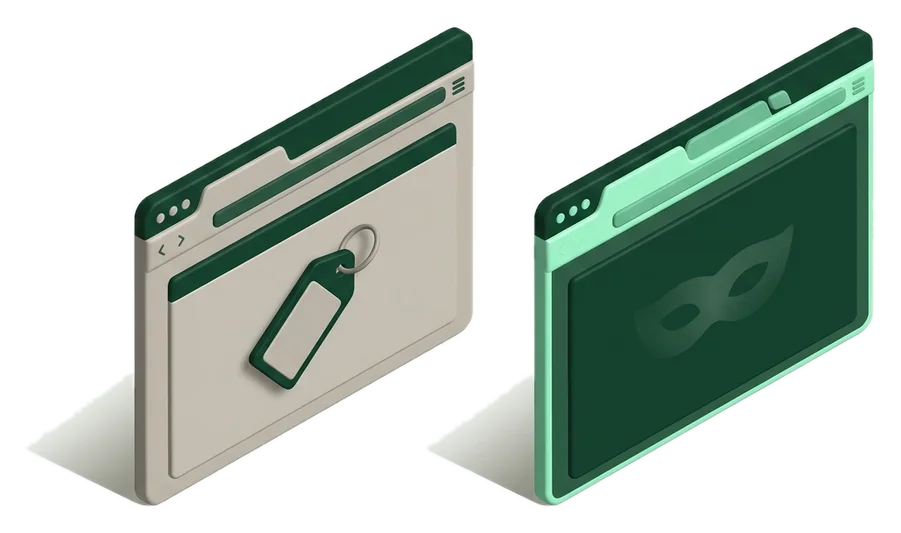
Guest mode opens a temporary Chrome profile with no history, bookmarks, passwords or extensions once you close it. Incognito runs a private tab inside your own profile, keeping new history and cookies local but still tied to you, and it only runs extensions you've specifically allowed. Use guest mode for shared devices, incognito for your own private browsing.
What's the real difference between guest mode and incognito?
Guest mode opens an entirely separate, temporary Chrome profile with no connection to your bookmarks, extensions, saved passwords or history — everything in it disappears the moment you close the window (see how Chrome stores saved passwords normally, for contrast). Incognito mode is a private tab inside your existing profile: it won't save new history or cookies from that session, but it's still tied to you, and any extension you've explicitly allowed can run inside it.
The two solve different problems. Guest mode is built for someone else using your computer — a friend borrowing your laptop, a shared family Chromebook, a library kiosk. Incognito is built for you to browse privately on your own machine without it being remembered locally, like researching a gift or checking a site you don't want suggested back to you later. For a broader look at privacy-focused tools, see the security & privacy category.
| Feature | Guest window | Incognito window | Regular signed-in profile |
|---|---|---|---|
| History & browsing data | Nothing saved; wiped on close | Not saved for that window; rest of profile unaffected | Saved and synced across devices |
| Saved passwords & autofill | Not accessible at all | Your saved data isn't offered unless you sign in | Fully accessible |
| Extensions | None load, except ones an admin forces on | Off by default; must be allowed per extension | All installed extensions run normally |
| Bookmarks | None; can't view or add permanently | Your existing bookmarks are visible; new ones save to your profile | Full access, syncs if enabled |
| Good for | Someone else using your device briefly | Private research on your own device | Everyday signed-in browsing |
How do you turn on guest browsing in Chrome?
On Windows, Mac and Linux, guest mode lives behind your profile picture in the toolbar.
- Click your profile icon in the top-right corner of the Chrome toolbar.
- Select Open Guest Window from the menu that appears.
- A new window opens labeled Guest in the top corner — everything inside it is temporary from this point on.
- Close all guest windows when finished; Chrome deletes the session's data automatically.
On a Chromebook, guest browsing works differently: it's a full ChromeOS sign-in option, not something you turn on inside an already-open browser. From the sign-in screen, select Browse as Guest below the list of user accounts, which opens ChromeOS itself in a temporary session, not just a browser window.
How do you open an incognito window?
Incognito is faster to reach than guest mode since it doesn't require switching profiles first.
- Click the three-dot menu (⋮) in the top-right corner of Chrome.
- Select New Incognito Window.
- Or skip the menu with the keyboard shortcut
Ctrl+Shift+Non Windows and ChromeOS, orCmd+Shift+Non Mac. - On Android or iPhone, tap the tab-switcher icon, then choose New Incognito Tab from the menu.
You can have incognito windows open alongside your regular browsing at the same time. Closing the last incognito window ends that private session and clears its temporary data, while your normal windows stay exactly as they were.
Do your Chrome extensions work in guest mode?
No — by default, a guest window runs as a brand-new, unconfigured profile, so none of your installed extensions appear, load or run inside it. This is intentional: guest mode exists so someone else can use your device without touching anything tied to your account, extensions included.
The one exception is enterprise-managed devices: a school or workplace Chromebook can force specific extensions to load even in guest sessions through device policy, mainly for content filtering or monitoring required by the organization. On a personal, unmanaged device, guest mode is always extension-free.
Do extensions work in incognito mode?
Only the ones you specifically allow. Chrome disables every extension inside incognito windows by default, on the theory that an extension you trust for normal browsing might still track or store data you don't want recorded during a private session.
To allow one, open chrome://extensions, find the extension, click Details, then turn on the Allow in Incognito toggle. This has to be repeated for each extension individually — there's no single switch to allow all of them at once, which is a deliberate friction point, not an oversight.
Which extensions actually make sense to allow in incognito?
The best incognito candidates are extensions that don't need your account or login to be useful, since incognito is often used precisely to avoid being recognized as you.
Extensions worth allowing in incognito
-
Dark ReaderFree
Customization
Applies dark mode purely to page rendering, no account needed — safe to allow in private windows.
-
Accessibility
Accessibility-only, works without login; a solid always-allow choice.
-
Google TranslateFree
Productivity
Useful for translating pages while researching privately; doesn't require signing in for basic page translation.
-
Developer Tools
Fits the privacy theme directly by controlling what your user-agent reveals to sites, though it needs its own careful setup to avoid breaking sites that check for a real browser.
-
WappalyzerFreemium
Developer Tools
Useful for research without needing an account, though it does read the page's underlying code to identify its tech stack.
-
Productivity
Simple, no-login lookup tool that's low-risk to enable everywhere, including incognito.





Extensions that require a login to do anything, like a time tracker or an email read-receipt tool, mostly defeat the purpose of a private window, since using them still identifies you to that service even if Chrome itself isn't recording the session.
What don't guest mode and incognito actually hide?
Neither mode hides your activity from your internet provider, your employer or school's network, or the websites you visit. They only control what your local Chrome installation stores on the device itself.
If you sign into an account inside an incognito or guest window, whether that's email, a shopping site or a bank, that service now knows it was you, private window or not. Incognito's protection is local and temporary, not anonymous.
Private isn't invisible
Guest mode and incognito stop Chrome from remembering your session locally. They do nothing to stop network-level tracking, workplace monitoring software, or a site's own analytics and login records.
Is guest mode different — or missing — on a managed Chromebook?
On a school- or work-managed Chromebook, guest browsing is often the first thing IT administrators disable, since it's a way to bypass the managed account's content filters and monitoring.
If Browse as Guest doesn't appear on the sign-in screen at all, that's a policy decision by whoever manages the device, not a bug. The same administrators can also block or force specific extensions, and can prevent incognito windows from opening entirely through the same device management console that controls developer mode on a Chromebook.
Check your Chromebook's management status first
If you're troubleshooting why guest mode or incognito seems restricted, look for a note about a managed device at the bottom of chrome://policy — that confirms whether an organization controls these settings.
So which one should you actually use?
Use guest mode whenever someone else needs your device temporarily — that's the only mode that guarantees a completely clean slate with zero access to your accounts or extensions.
Use incognito when you're the one browsing but don't want that specific session added to your own history or autofill: researching something you don't want auto-suggested later, checking prices without personalization skewing results, or briefly signing into an account that isn't your default.
- Guest window
- A temporary Chrome profile with no history, extensions or saved data, meant for someone other than the device's usual account holder.
- Incognito window
- A private tab inside your own profile that doesn't save new history or cookies once closed.
- Regular profile
- Your everyday signed-in browsing, with full access to extensions, passwords and synced history.
- Enterprise-managed extension
- An extension a school or employer's device policy forces to run even in guest or incognito sessions.
For more on what Chrome extensions can and can't see about you generally, our permissions guide breaks down what each requested permission actually allows, and Chrome developer mode covers a related setting worth understanding if you ever install an extension outside the Web Store.
Extensions mentioned in this guide
- Dark ReaderDark mode for every website.
- High Contrast ModeApplies a high-contrast color scheme to any webpage for better readability
- Google TranslateInstantly translate selected text or whole pages as you browse, powered by Google.
- UA Switcher and ManagerManage and rotate custom user-agent profiles to control what sites see
- WappalyzerSee the tech stack behind any website.
- Double Click DictionaryDouble-click a word on any page to see its meaning instantly
Frequently asked
Does closing a guest window delete everything automatically?
Yes — all browsing data from a guest session, including any downloads' history entries and site data, is discarded as soon as the last guest window closes.
Can you save passwords in guest mode?
No, guest mode can't access or save to your account's saved passwords, since it isn't connected to your profile at all.
Is incognito mode invisible to your employer or school network?
No — network administrators and internet providers can still see your traffic; incognito only affects what your local browser stores.
Can two people use guest mode at the same time on one Chromebook?
Yes, on ChromeOS shared devices multiple guest sessions can run, though each one is fully isolated and wiped when it ends.
Why don't my extensions show up in incognito windows?
Chrome disables all extensions in incognito by default until you individually allow each one from chrome://extensions.
Can you enable all extensions in incognito at once?
No, Chrome requires toggling Allow in Incognito per extension, one at a time, which is a deliberate privacy safeguard.
What happens to downloads made in guest mode?
The files stay in the device's Downloads folder even though the guest session's history and cookies clear when the window closes.
Is guest mode available on Chrome for Android and iPhone?
Support varies by platform and Chrome version; incognito tabs are the more consistently available private browsing option on mobile.
Can a school or work admin turn off guest browsing?
Yes, administrators managing Chrome or ChromeOS devices can disable the guest browsing option entirely through device policy.
Does incognito mode stop websites from tracking you?
No, incognito only limits what your own browser stores locally, not what the sites you visit or their tracking scripts collect.
Do bookmarks you add in guest mode get saved?
No, since guest mode never touches your synced profile, any bookmarks or settings changes disappear once the window closes.
What's the difference between guest mode and a second Chrome profile?
A second profile keeps its own persistent history, extensions and bookmarks between sessions, while guest mode always starts empty and wipes on close.