

How-to guide
How to Install Chrome Extensions in Microsoft Edge

How-to
How to Install Chrome Extensions in Microsoft Edge
On this page
- The short answer
- Can you install Chrome extensions in Microsoft Edge?
- How do you turn on Allow extensions from other stores in Edge?
- How do you install a specific Chrome extension in Edge?
- What's different about a Chrome extension once it's running in Edge?
- Should you use Microsoft Edge Add-ons instead of the Chrome Web Store?
- Which popular Chrome extensions are worth installing in Edge?
- Why won't a Chrome extension install or work properly in Edge?
- How do you manage, disable, or remove extensions in Edge afterward?
- Does this work on Edge for Android or iOS too?
- Frequently asked
The short answer
Open edge://extensions, turn on Allow extensions from other stores, and confirm the warning. Then visit the Chrome Web Store, click Add to Chrome, and confirm the install prompt. Edge runs it in the same Chromium engine, so it works exactly like it does in Chrome, with no converter needed.
Can you install Chrome extensions in Microsoft Edge?
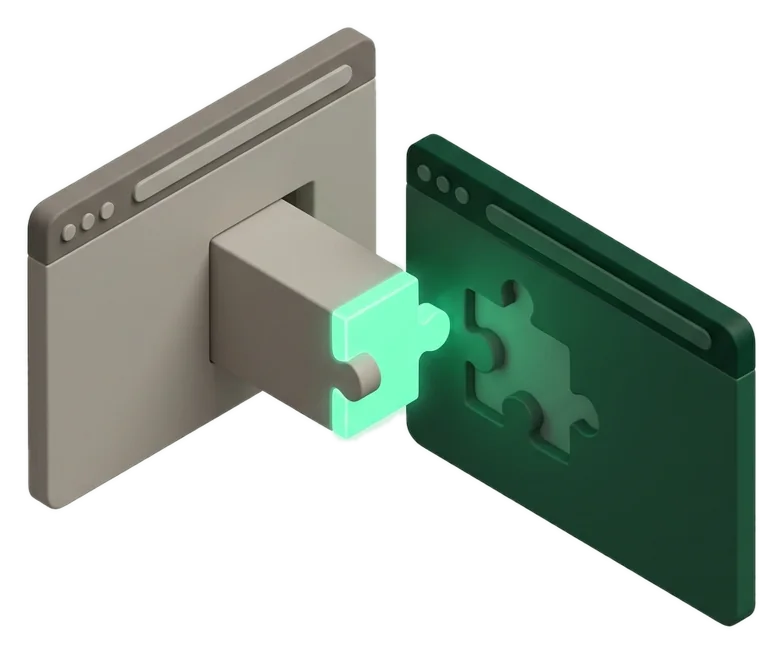
Yes — Microsoft Edge is built on the same Chromium engine as Chrome, so it can run Chrome Web Store extensions directly once you flip one setting. You don't need a converter or workaround of any kind.
Edge ships with its own Microsoft Edge Add-ons store by default, listing fewer extensions overall than the Chrome Web Store, which is why the other-stores toggle exists as a fallback for everything not published there.
How do you turn on Allow extensions from other stores in Edge?
Open edge://extensions, then turn on Allow extensions from other stores near the top of the page. Edge shows a one-time warning that it can't review extensions from outside its own store, which you confirm to continue.
- Type
edge://extensionsinto the address bar and press Enter, or click the puzzle-piece icon and choose Manage extensions. - Find the toggle labeled Allow extensions from other stores near the top.
- Switch it on.
- Click Allow in the confirmation dialog that appears.
You only need to do this once
After the toggle is on, every Chrome Web Store page you visit in Edge shows a normal install button instead of an error message, permanently, until you turn the toggle back off.
How do you install a specific Chrome extension in Edge?
With the toggle on, installing works almost exactly like it does in Chrome: find the extension in the Chrome Web Store, click the install button, and confirm the prompt.
- Go to the Chrome Web Store in Edge.
- Search for the extension you want.
- Click Add to Chrome — the button keeps its Chrome branding even inside Edge.
- Confirm the permissions prompt that Edge shows.
- Click the puzzle-piece icon in the toolbar and pin the extension if you want it visible at all times.
Pinning works the same way as Chrome
Click the puzzle-piece icon in the toolbar, then click the pin next to the extension's name to keep it visible instead of tucked inside the menu.
What's different about a Chrome extension once it's running in Edge?
Functionally, almost nothing changes. The extension runs in the same Chromium engine and calls the same APIs. The differences sit around it: Edge manages updates through its own extensions page, and Edge syncs through a Microsoft account instead of a Google one.
| Aspect | In Chrome | In Edge |
|---|---|---|
| Engine running the extension | Chromium | Chromium (same engine) |
| Where you manage it | chrome://extensions | edge://extensions |
| Store it updates from | Chrome Web Store | Still the Chrome Web Store, tracked by Edge |
| Sync account | Google account | Microsoft account |
| Review process | Google's Chrome Web Store review | Not reviewed a second time by Microsoft; Edge just shows one warning |
Should you use Microsoft Edge Add-ons instead of the Chrome Web Store?
If the same extension is listed in both stores, install from Microsoft Edge Add-ons first. Those listings are reviewed by Microsoft specifically for Edge and tend to get store-side updates without needing the other-stores toggle at all.
Fewer extensions are listed in Edge Add-ons than in the Chrome Web Store overall, which is exactly why the toggle exists for the majority of extensions that were never published to Microsoft's store.
Delisted extensions behave the same in both browsers
An extension pulled from the Chrome Web Store for a policy violation becomes uninstallable from a fresh visit to that page in Edge too. Edge doesn't add extra protection, and it doesn't add extra risk beyond what Chrome's own review already gives.
Which popular Chrome extensions are worth installing in Edge?
A handful of the most widely installed Chrome extensions cover most everyday needs, and all of them run the same way once ported over to Edge through the toggle.
Popular Chrome extensions that run the same way in Edge
-
Security & Privacy
Lightweight Manifest V3 content blocker. Main catch: the Lite version trades some filtering flexibility for lower resource use compared to older blocker designs.
-
Dark ReaderFree
Customization
Applies dark mode to every website. Main catch: some sites already ship their own dark mode, which can occasionally clash with Dark Reader's forced styling.
-
BitwardenFreemium
Security & Privacy
Open-source password manager. Main catch: you'll need to sign back into your vault after installing, the same as setting it up fresh in any browser.
-
GrammarlyFreemium
Writing
Grammar and tone suggestions as you type. Main catch: it needs access to text fields across sites to work, which is worth reviewing on its permissions page.
-
Google TranslateFree
Productivity
Instantly translates selected text or whole pages. Main catch: translation quality still varies by language pair, same as in Chrome.
-
Session BuddyFree
Productivity
Saves and restores browser sessions, tabs, and bookmarks locally. Main catch: it stores sessions locally, not synced through Edge's own account system.






Why won't a Chrome extension install or work properly in Edge?
If the install button is greyed out or nothing happens after you click it, the most common cause is the other-stores toggle not actually being on, or Edge being managed by an organization that blocks outside extensions entirely.
- Double-check
edge://extensionsshows Allow extensions from other stores switched on, not just visited. - On a work or school device, ask your IT admin — Edge's group policy can block installs from outside the Microsoft store regardless of the toggle.
- Restart Edge after enabling the toggle if a store page still shows an error, since a hard refresh (
Ctrl+Shift+R) sometimes clears a stale install prompt too. - Confirm you're not in InPrivate mode, since Edge disables most extensions there by default unless you've explicitly allowed each one to run.
InPrivate needs a separate allow
Turning on an extension normally doesn't automatically let it run in InPrivate windows. You have to allow it per extension from its Details page, the same way Chrome handles Incognito.
How do you manage, disable, or remove extensions in Edge afterward?
Manage everything from the same edge://extensions page you used to enable the toggle. There's no separate menu for Chrome-sourced extensions versus Edge Add-ons ones.
- Open
edge://extensions. - Toggle any extension off to disable it without removing it, or click Remove to uninstall it completely.
- Click Details on any extension to review its permissions or turn on Allow in InPrivate.
Review permissions the same way as Chrome
Check what a newly installed extension can access from its Details page before you rely on it daily. See what common permission requests actually mean if a request looks broader than the extension's job.
Does this work on Edge for Android or iOS too?
Barely, and differently on each platform. Edge for Android supports only a limited, curated set of extensions rather than full Chrome Web Store access, and Edge for iOS doesn't support desktop-style extensions at all.
That iOS limitation isn't Microsoft's choice: Apple's App Store guidelines require every browser on iOS to use Apple's own WebKit engine, which doesn't support the same desktop-style extension model Chromium browsers use elsewhere. If extensions matter to you, desktop or a Chromebook remains the only reliable option.
Extensions mentioned in this guide
- uBlock Origin LiteLightweight Manifest V3 content blocker.
- Dark ReaderDark mode for every website.
- BitwardenOpen-source password manager.
- GrammarlyGrammar and tone suggestions as you type.
- Google TranslateInstantly translate selected text or whole pages as you browse, powered by Google.
- Session BuddySaves and restores browser sessions, tabs, and bookmarks locally
Frequently asked
Can Microsoft Edge run Chrome extensions?
Yes — Edge is Chromium-based, so it runs Chrome Web Store extensions natively once you turn on Allow extensions from other stores at edge://extensions.
How do you turn on Chrome Web Store extensions in Edge?
Open edge://extensions, switch on Allow extensions from other stores near the top, then confirm the one-time warning dialog.
Do you need to convert a Chrome extension file to use it in Edge?
No — there's no conversion step. The same package and Manifest V3 code that runs in Chrome runs in Edge unchanged.
Is it safe to install Chrome extensions in Edge?
It carries the same risk profile as installing them in Chrome, since Microsoft doesn't add extra review. Check permissions and reviews on the Chrome Web Store page just as you would before installing in Chrome.
Why is the Add to Chrome button greyed out in Edge?
The Allow extensions from other stores toggle at edge://extensions probably isn't switched on yet, or your device is managed by an organization that blocks outside extension stores.
Should you install from Microsoft Edge Add-ons or the Chrome Web Store if an extension is in both?
Prefer Microsoft Edge Add-ons when it's listed there, since it's reviewed specifically for Edge. Use the Chrome Web Store toggle only for extensions not published to Edge's own store.
Do Chrome extensions work the same way once installed in Edge?
Functionally yes, since both browsers share the same Chromium engine. The differences are in where you manage them (edge://extensions) and which account they sync to.
Can you use Chrome extensions in Edge InPrivate mode?
Only if you explicitly turn on Allow in InPrivate for that extension from its Details page at edge://extensions, the same way Chrome handles Incognito.
Does installing a Chrome extension in Edge affect Chrome?
No — extensions install per browser, so adding one in Edge doesn't touch your separate Chrome installation or its extensions.
Can you install Chrome extensions in Edge on Android?
Only a limited, curated set — Edge for Android doesn't offer full Chrome Web Store access the way desktop Edge does.
Why doesn't Edge for iPhone support Chrome extensions?
Apple requires every browser on iOS, including Edge, to use its WebKit engine, which doesn't support the same desktop-style extension model Chromium browsers use elsewhere.
How do you remove a Chrome extension you installed in Edge?
Open edge://extensions, find the extension, and click Remove — the same page you used to enable and install it.